How to do Whatsapp Campaign
Manish Chaudhary
Nov 18, 2025 2.4 min read
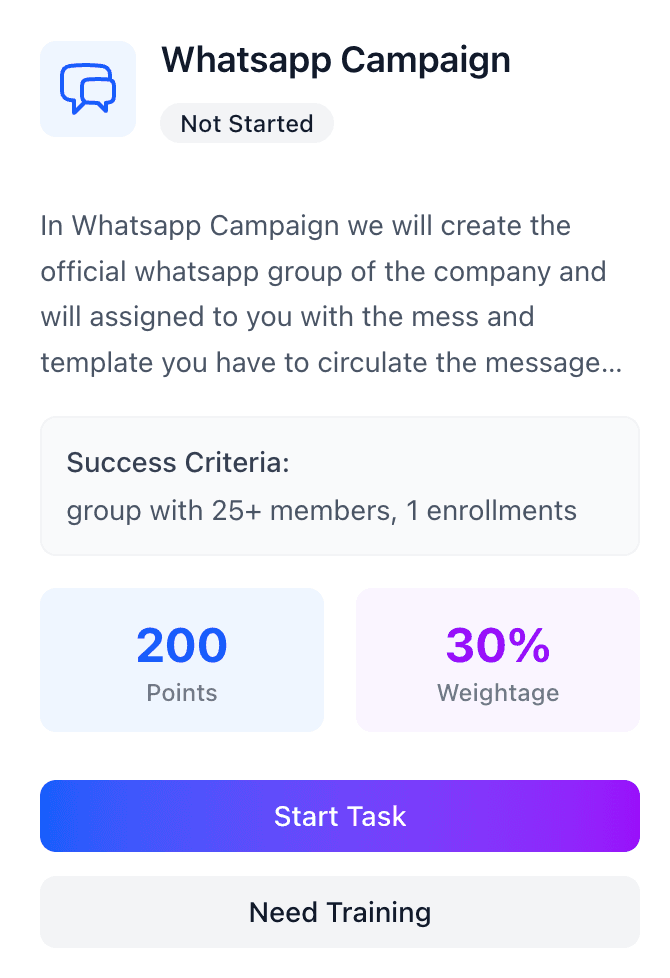
The WhatsApp Campaign is one of the highest-impact tasks in the EduVeda Campus Ambassador Program. Below are the official details and updated guidelines for ambassadors.

WhatsApp Campaign: 200 Points
The WhatsApp Campaign is designed to promote EduVeda’s brand and courses through targeted WhatsApp outreach.
Once you begin this task, the Operations Team will:
- Add you to a pre-created WhatsApp group, or
- Assign you an official group that you will manage
You do not create the group yourself — the operations team handles that part.
How To Execute the WhatsApp Campaign Step-by-Step
Step 1: Join the Official WhatsApp Group
EduVeda provides you with:
- A pre-created official WhatsApp group
- A pre-written campaign message
- Posters, creatives & enrollment links
You must join the group and use the provided material.
Step 2: Circulate the Message
You will share the provided message:
- In your college groups
- Study groups
- Friends’ groups
- Personal network
- Social contacts
Make sure:
You share the exact provided message
You do not edit or change official content
You follow the format given by EduVeda
Step 3: Add Members into Group
Ensure the WhatsApp group has 25+ members.
They should be:
- College students
- Freshers
- Professionals seeking upskilling
Avoid adding irrelevant members.
Step 4: Collect Responses
You can ask students to:
- Join the campaign
- Ask doubts about the course
- Enquire about EduVeda programs
The number of responses is required while submitting the task.
Step 5: Convert Enrollments
For every student who enrolls:
- You earn tier-based rewards
- You move closer to stipend release

How to Submit the WhatsApp Campaign Task
When you click “Start Task”, a submission form opens.
1. Name of Your Group
Enter the exact name of the WhatsApp group where you ran the campaign.
Example:
- “EduVeda Career Guidance Group – CSE Students”
- “EduVeda Upskilling Hub – Batch 2025”
2. Total Members in the Group
The total number of members present in the group.
Must be minimum 25
You can mention the exact number (e.g., 32, 45, 51 etc.)
3. Group Link
Paste the WhatsApp group link.
Make sure the link:
✅ Is working
✅ Is public-accessible for verification
✅ Belongs to your campaign group
Click Next or scroll to the next section.
4. Group Link
The system asks again for accuracy.
Paste the same link.
5. Total Response
Enter how many people:
- Asked doubts
- Showed interest
- Replied to your message
- Engaged with the post
Example:
- 18 responses
- 25 responses
- 10 responses
6. Total Enrollments
The number of actual enrollments generated from your WhatsApp campaign.
This is crucial because:
- More enrollments = higher stipend
- You unlock tier-based rewards
7. What You Have Learned
Write a short reflection like:
“I learned how to communicate effectively with students, promote EduVeda courses, and handle queries professionally.”
Submit Task
Once all fields are filled, click Submit Task.
Your submission will be reviewed by the backend team within 24–48 hours.
Related insights
More from CA Task
 1 min read
CA Task
How to Complete the TPC Task: A Simple Guide to Finish and Submit It Correctly
What Is the TPC Task? The TPC (Training and Placement Cell) task is focused on building collaborations with your college’s placement cell to facilitate campus recruitment drives o
Manish Chaudhary
Apr 30, 2026
 1 min read
CA Task
How to do an Offline Campaign
What Is the Offline Campaign Task? The offline campaign involves physically promoting your brand by printing flyers and posters, then displaying them in high-traffic areas of your
Manish Chaudhary
Nov 18, 2025